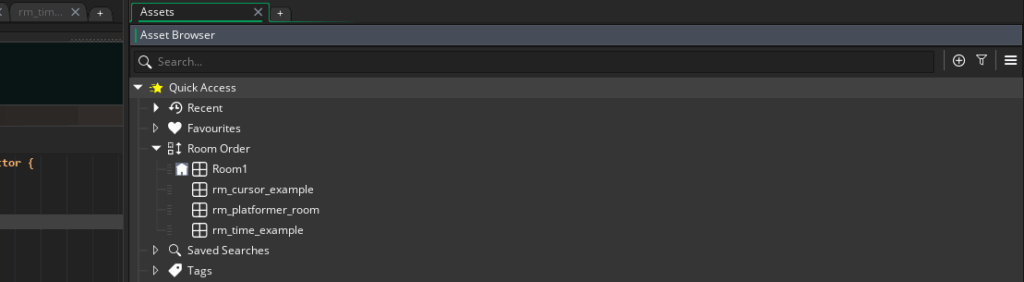
In GameMaker, a Room is where your game actually happens. Think of it like a stage or scene in a play. A room is where you place objects, sprites, backgrounds, and more to bring your game to life.
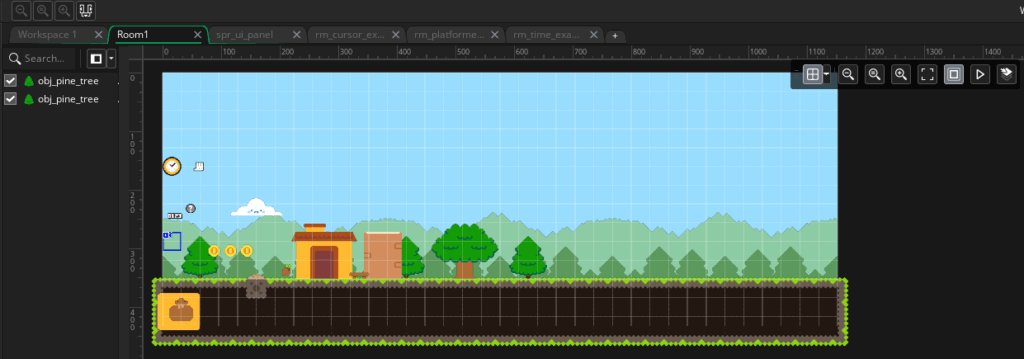
Rooms are the foundation that holds everything together.
What a Room Does
A Room is a container for the different scenes in your game, but it’s more than just empty space! It determines:
- What gets drawn in what order
- What objects belong in each room
- Where the player starts
- How the camera behaves
Every time you switch levels, open a menu, or start your game, you’re likely loading a new Room!
Parts of a Room
When you open a Room in GameMaker, you’ll see a few key parts.
The Room Editor
This is where you’ll be seeing what’s inside of the Room. You can drag assets from the Asset browser into the Room (on the appropriate Layer) to populate your game!
A Room has a width and height, measured in pixels.

The top-left corner of a room is coordinate (0,0).

X values increase as you move right and Y values increase as you move down.

Rooms use this x/y coordinate system to describe the starting positions of the assets inside of it.
Layers

Just like an art program, Rooms use layers to control in what order things are drawn. There might be many different layers in a single Room:
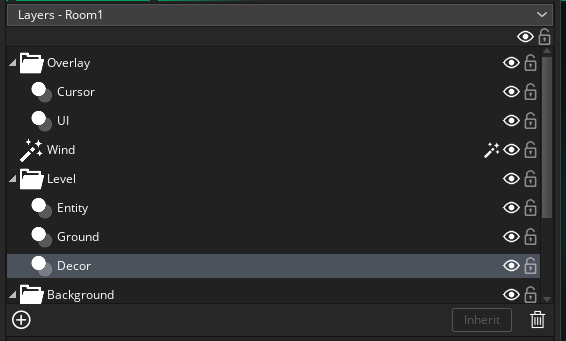
- Background layers, including the sky, clouds, or far-off mountains
- Instance layers, where the interactive characters in your game are
- Tile layers, which might be the grass and cliffs you collide with
- GUI layers, which display things like health bars and score counters
Layers on the bottom are drawn first, so layers on top will be closer to your eyes!
Room Settings
A Room also has settings that can control things about itself like:
- Room Size
- Background Color
- Camera settings
- The first room in your room order runs automatically at startup.