
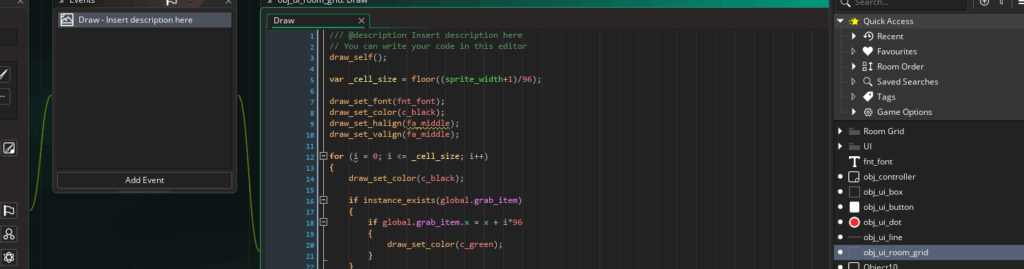
Commenting code is great, but do you know what’s even better? Self-documenting code. That’s code that explains itself just by how it’s written. When your variables, functions, and resources are clearly named, you don’t need extra comments or reminders to understand what’s going on. It’ll be obvious!
Why Descriptive Names Matter
In GameMaker, everything has a name: objects, sprites, rooms, variables, functions, sounds, and scripts (just to name a few!) If you use clear, descriptive names, your code becomes easier to read, easier to debug, and easier to manage.
Sure, you could leave a comment explaining what your code does, but why not skip the extra step?
Think of variable names like labels on storage boxes. If every box is labeled “thing,” “stuff,” or “misc,” you’ll waste time opening each one to find what you need. But if the boxes are labeled “jackets,” “Halloween decorations,” and “childhood toys,” you’ll know exactly where to look. Same with code.
How to Write Self-Documenting Names
Use names that say what the variable actually represents or does. Treat them like labels, rather than shortcuts.
Do:
player_speedattack_powermovement_directioncursor_index
Even if you’re the only one looking at your code, these names give you context instantly. You won’t need to to give yourself a refresher weeks later.
Avoid names that are too short, generic, or cryptic.
Don’t:
var1temppfspd
We’ll give single-letter variables a pass, like i inside simple loops or x when dealing with coordinates… but in general, short names aren’t ideal.
Be Consistent with Naming Styles
Pick a naming style and stick with it. GameMaker doesn’t enforce one, but consistency matters.
Common styles:
camelCase:playerSpeed,enemyDamagesnake_case:player_speed,enemy_damage(this matches GameMaker’s built-in functions likedraw_sprite_ext()andplace_meeting())
Whichever you pick, just use it across your whole project for clean, readable code.
Use Prefixes for Resources
When naming GameMaker assets, like objects or rooms, using a prefix makes it easy to identify their type at a glance.
Examples:
obj_for objects, likeobj_enemySlimespr_for sprites, likespr_playerWalksnd_for sounds, likesnd_explosionrm_for rooms, likerm_level01
Prefixes let you instantly recognize the kind of asset you’re working with, even in long dropdown lists or the asset browser. You can see which ones we prefer in a post we wrote about naming conventions in GameMaker.
Use Meaningful Descriptive Words
Giving descriptive prefixes and suffixes to your variable helps the reader understand what kind of data they hold:
- Booleans:
is_,has_, orcan_as inis_alive,has_key, orcan_attack - Instances :
_instance, as intargeted_instance, orenemy_instance - Text variables:
_string, as indisplay_string,score_string
Use Structs to Group Ideas
Structs are perfect for organizing variables that belong together. For example, instead of:
health = 100;
speed = 4;
name = "Alex";
Try:
player = {
    health: 100,
    speed: 4,
    name: "Alex"
};
Now all your player data is grouped in one neat, readable structure.
Use Verb-Based Function Names
Functions should read like commands. They do something, so use verbs!
Do:
- spawn_enemy();
- destroy_bullets();
- draw_ui();
Don’t:
- calcuate_values();
- create();
Tell your game what to do!
Give Parameters Clear Names, Too!
You can give additional context to functions by using descriptive parameter names, too. You’ll know what to pass into a function’s arguments when you’ve named them well.
For example, compare these:
place_meeting(x, y, obj); // Clear
place_meeting(val1, val2, val3); // Confusing
In the top function, it’s clear that you need to put in an x position, a y position, and an object. Descriptive parameters help you understand what a function does.
Wrap Up
Writing self-documenting code in GameMaker is all about clarity, consistency, and purpose. Stick to your naming conventions and project rules like its part of your design process and not just a side detail.
Your future self (and anyone reading your code) will thank you.